
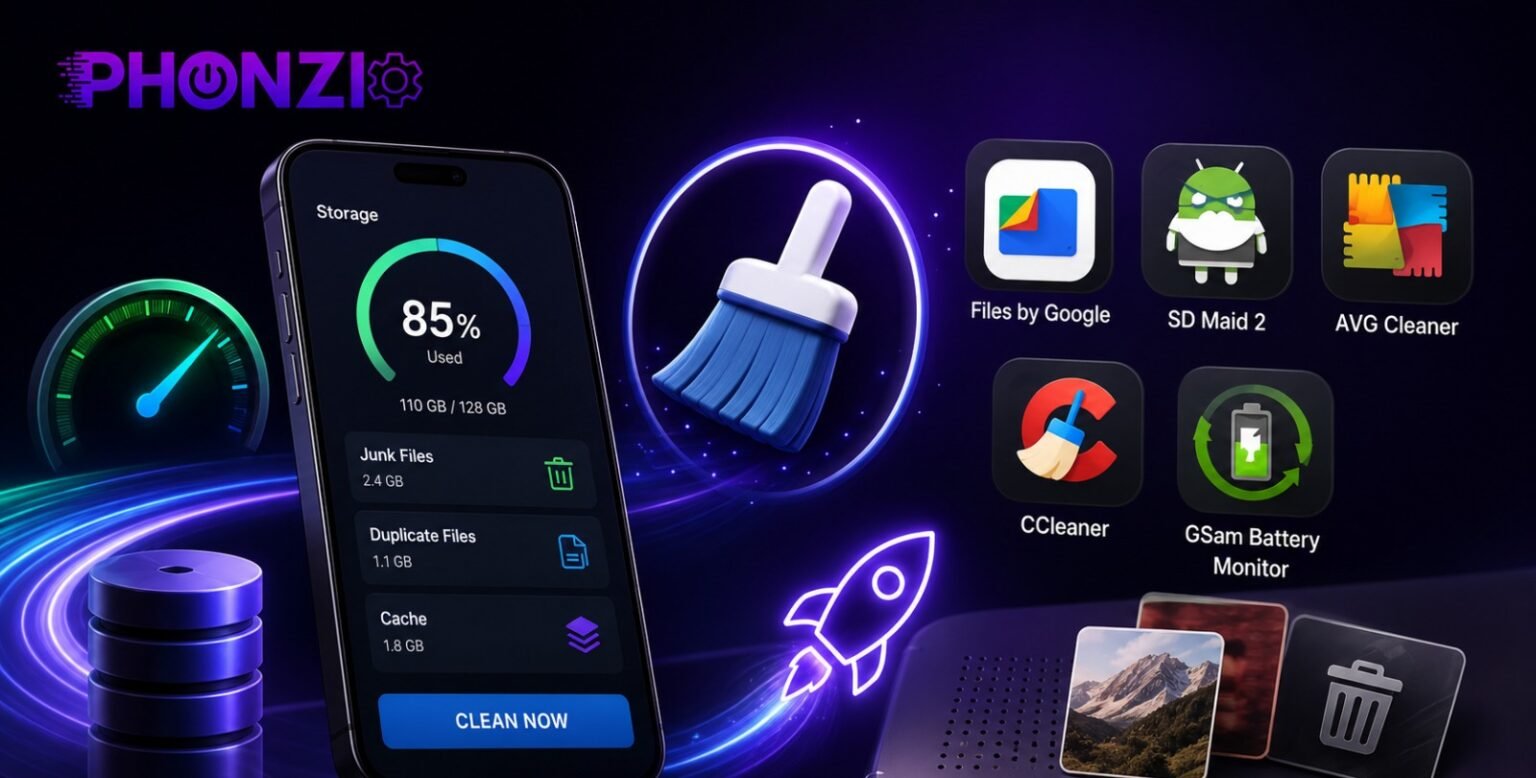
If your phone has started taking a beat too long to open the camera, or you’ve gotten one too many “storage almost full” notifications, you’re not alone. Every phone slows down over time as apps pile up cached data, downloads sit forgotten, and photo libraries quietly balloon into the thousands — we break down why every phone slows down over time in more depth if you want the full picture.
The good news: you don’t need to buy a new phone or pay for a premium “optimizer” to fix most of this. There are a handful of genuinely free apps that can clear out the clutter, free up real storage space, and make your phone feel noticeably faster again — and we’ve tested every one on this list to make sure it’s still on the Play Store, still free, and still safe to install.
That last part matters more than it sounds. A lot of “best apps” lists still floating around the internet recommend tools like Clean Master or DU Speed Booster — apps that were banned from the Google Play Store years ago for ad fraud and shady data collection. Below, we’re only covering apps that are currently available, currently free, and currently doing what they promise.
One quick note before we dive in: this guide focuses on Android, since Apple’s iOS doesn’t allow this type of system-cleaning app due to how iPhones sandbox apps from each other. If you’re on an iPhone, most of these storage and speed wins come from Settings > General > iPhone Storage instead.
How We Vetted These Apps
Before any app made this list, we checked it against four things:
- It’s currently live on the Google Play Store. No discontinued apps, no apps quietly pulled for policy violations, no APKs you have to sideload from a sketchy third-party site.
- It’s actually free to use, not just free to download with the real functionality locked behind a paywall.
- It has a clean track record. No history of ad fraud, malware flags, or excessive data harvesting.
- It’s still being updated. Phone cleaning apps that haven’t been touched since 2019 tend to break on modern Android versions or simply stop working the way they used to.
That last filter knocked out more apps than you’d expect. Several tools that show up again and again in older “best of” roundups — Clean Master, DU Speed Booster, DU Battery Saver — were banned from the Play Store years ago after being caught engaging in ad fraud and collecting more user data than disclosed. If you still have any of these installed, it’s worth uninstalling them, even if they seem to be working fine.
With that out of the way, here are the apps that actually earned a spot on this list.
Best Free Apps to Boost Your Phone’s Storage
1. Files by Google
Price: Free, no ads Best for: Anyone who wants a safe, no-frills option straight from Google
Files by Google is the app we’d point most people toward first, simply because there’s no catch. It’s built and maintained by Google itself, it’s completely free, and it doesn’t run ads or push you toward a subscription.
Open the app and tap “Clean” to get a list of easy wins: cached data, duplicate files, screenshots you probably forgot about, and old downloads. Each suggestion shows you exactly what it wants to delete before you approve it, so there’s no risk of accidentally wiping something important.
A few other things worth knowing:
- Smart Storage shows you a breakdown of what’s actually eating up your space (photos, apps, videos, etc.), so you know where to focus.
- Quick Share lets you send files to nearby Android devices offline, at speeds up to 480 Mbps — handy if you’re clearing space by moving files instead of deleting them.
- You can back up photos and files directly to Google Drive or an SD card to free up space without losing anything.
The trade-off is that it’s a fairly basic tool. It won’t do deep duplicate-photo detection or the kind of granular junk-file categorization that dedicated cleaner apps offer. But if you want something safe, free, and genuinely useful without reading the fine print, this is it.
2. SD Maid 2/SE
Price: Free (optional one-time Pro unlock for advanced features) Best for: Anyone who wants a deeper clean than the basics
SD Maid 2/SE is the app to reach for once you’ve outgrown what Files by Google can do. It’s open-source, has no ads, and doesn’t sell your data — the developer is upfront that the app is funded by optional Pro purchases and donations, not by monetizing users.
Where it stands out is depth. SD Maid digs into leftover folders from apps you’ve already uninstalled, duplicate files, and system junk that basic cleaners tend to miss. A few standout tools:
- Swiper: a tinder-style swipe interface for reviewing and clearing app caches one by one, so you’re never deleting things blindly
- Media Squeeze: compresses your photos to reclaim space without deleting them
- Scheduling: set it to clean automatically on a schedule instead of remembering to run it yourself
Heads up: some of SD Maid’s automation features rely on Android’s Accessibility Service to click through cleanup steps on your behalf. The developer is transparent that this is used only to automate taps, not to collect data — but it’s still worth understanding what you’re granting permission for before you turn it on.
The core app is free forever; the Pro unlock (a one-time purchase, not a subscription) adds automation and a few extra tools, but it’s optional.
3. AVG Cleaner – Storage Cleaner
Price: Free, ad-supported Best for: Casual users who don’t mind ads in exchange for a broader feature set
AVG Cleaner is backed by Gen Digital, the same company behind Norton and Avast, so it’s a legitimate, actively maintained app rather than an anonymous storage tool. It handles the basics — junk files, duplicate photos, cache — and adds a few extras like a Wi-Fi speed checker and battery profile settings for different situations (home, work, driving).
The free version is supported by ads, and like most freemium cleaner apps, it’ll periodically nudge you toward a premium upgrade. Nothing sketchy, just standard freemium behavior — the core cleaning tools work without paying.
This is a solid pick if you want a bit more built-in functionality than Files by Google offers and don’t mind an ad now and then to get it.
Quick takeaway: Start with Files by Google if you want the simplest, safest option. Reach for SD Maid 2/SE if you want to go deeper. AVG Cleaner is a good middle ground if you’re fine with ads in exchange for extra features.
Best Free Apps to Boost Your Phone’s Speed
4. CCleaner for Android
Price: Free, ad-supported (Premium tier removes ads) Best for: Users who want a well-known name with a broad feature set
CCleaner has been a trusted name in PC cleanup for over two decades, and the Android version — made by Piriform, now part of Gen Digital — brings that same reputation to your phone. It handles the usual cache and junk-file cleanup, but its standout feature is photo library cleanup: it scans for similar, old, or low-quality (blurry, too dark, too bright) photos and gives you four levels of compression to choose from, plus the option to move originals to cloud storage instead of deleting them outright.
Beyond that, it includes an app manager for bulk-uninstalling things you don’t use, a storage analyzer to see what’s taking up space, and an “app impact” view that flags which apps are draining your battery or data in the background.
A couple of honest caveats worth passing along:
- The free version has picked up more ads in recent updates, and some users report the app pushing fairly hard toward a paid subscription during setup. It still works fine for free — just expect to tap past a few prompts.
- Like SD Maid, some of CCleaner’s automation features request Android’s Accessibility Service permission. Only grant this if you understand what it’s being used for, and skip it if you’d rather clean manually.
If you can tolerate the ads, CCleaner is a genuinely capable all-in-one tool. If the upsell prompts get old, Files by Google or SD Maid cover most of the same ground without the pressure.
5. GSam Battery Monitor
Price: Free (Pro version available as a one-time purchase) Best for: Figuring out why your phone feels slow or drains fast, not just cleaning it up
GSam Battery Monitor isn’t a cleaner — it’s a diagnostic tool, and it’s genuinely one of the most detailed battery and performance monitors available for Android. Instead of promising to “boost” your phone, it shows you exactly what’s slowing it down or draining it, with a time-based chart tracking screen usage, CPU activity, Wi-Fi, temperature, and Doze mode. If you want a deeper dive into what actually affects battery life, our Smartphone Battery Life Explained guide covers the hardware and software side of things.
The standout feature is the “App Sucker” list, which ranks apps by how much battery and background activity they’re actually responsible for — often surfacing culprits you’d never think to blame, like a keyboard app or a social media widget refreshing constantly in the background.
Worth knowing: recent versions of Android have restricted some of the deeper stats GSam used to show by default, so a few advanced features now require enabling permissions manually through ADB (a developer tool connected via computer). This isn’t necessary for most people — the free, out-of-the-box version still gives you a clear picture of what’s dragging your phone down.
Think of GSam less as a fix and more as a diagnosis: once you know which app is the actual problem, you can decide whether to uninstall it, restrict its background activity, or just live with it.
Quick takeaway: CCleaner is the best one-stop option if you don’t mind occasional ads and upsell prompts. GSam Battery Monitor won’t clean anything, but it’ll tell you exactly what’s making your phone slow — which is often more useful than a generic “boost” button.
Do You Still Need a “Booster” App?
Here’s something most roundups won’t tell you: a lot of what these apps used to do, Android now does on its own.
Older Android versions genuinely struggled to manage background apps well, which is why “hibernation” tools like Greenify became so popular years ago — they’d freeze apps you weren’t using to save battery and free up RAM. That app is technically still on the Play Store, but it’s largely stalled out. Current reviews describe having to manually re-enable it on newer Android versions, and its core job — putting unused apps to sleep — has been handled natively by Android’s own Doze mode and Adaptive Battery since Android 9. If you’re running a reasonably modern phone, you’re probably already getting most of what Greenify offered, without needing to install anything.
The same goes for RAM “boosting” in general. Android is designed to keep apps loaded in memory rather than closing them, because reopening an app from memory is faster than launching it from scratch. A booster app that force-closes everything in the background doesn’t speed up your phone — it just means the next app you open has to start cold, which can actually make things feel slower.
So what’s actually worth doing?
- Clearing cache and junk files (what Files by Google, SD Maid, AVG Cleaner, and CCleaner do) — this is genuinely useful, since cache buildup and duplicate files take up real space.
- Uninstalling apps you don’t use — every unused app is still a chance for background activity, even with Android’s improvements.
- Identifying specific battery or performance hogs (what GSam Battery Monitor is good for) — targeted fixes beat generic “boost” buttons.
- Letting Android’s built-in power management do its job — you don’t need to fight the system to get the benefit.
None of this means the apps above aren’t worth using — decluttering storage and finding the one app that’s draining your battery are real, measurable wins. Just keep your expectations realistic: no free app is going to make a five-year-old phone feel brand new, and claims like “boosts speed by 60%” are marketing, not a guarantee.
Quick Comparison
|
App |
Best For | Price | Ads |
Platform |
| Files by Google | Simple, safe storage cleanup | Free | None | Android |
| SD Maid 2/SE | Deep cleaning, duplicate/junk detection | Free (optional one-time Pro unlock) | None | Android |
| AVG Cleaner | Casual users, broader feature set | Free | Yes | Android |
| CCleaner | All-in-one cleanup, photo compression | Free (Premium removes ads) | Yes | Android |
| GSam Battery Monitor | Diagnosing battery/performance drains | Free (Pro unlock available) | Minimal | Android |
How to Use These Apps Safely
A phone cleaner is only as safe as how you use it. A few habits worth keeping in mind, regardless of which app you pick:
- Only install from the Google Play Store. Sideloading APKs from third-party sites is how a lot of banned or fraudulent cleaner apps stay in circulation even after Google removes them. If an app isn’t findable on the Play Store, that’s a reason to skip it, not a reason to look harder for it.
- Think twice before granting Accessibility Service permissions. A couple of the apps above use this to automate taps during cleanup. It’s a legitimate use case, but the same permission can be misused by less trustworthy apps, so only grant it to apps you already trust and understand.
- Review what’s being deleted before you confirm. Every app on this list shows you a preview before it clears anything — take the extra ten seconds to glance at the list, especially the first time you run a cleanup.
- Uninstall anything you’re not using anymore, including old cleaner apps you’ve since replaced. Leftover apps are still background activity, even if you never open them.
- Don’t stack multiple cleaner apps. Running two or three of these at once doesn’t multiply the benefit — it just means more background processes competing for the same resources you’re trying to free up. Pick one, maybe two if they serve different purposes (a storage cleaner plus a battery diagnostic tool, for example), and leave it there.
FAQ
Are phone cleaner apps safe?
Some are, some aren’t. The safest ones — like Files by Google and SD Maid 2/SE — are transparent about what they collect (usually nothing beyond what’s needed to function) and don’t rely on ad networks with a history of abuse. The risk comes from apps that oversell what they do, request permissions they don’t need, or turn out to be fronts for ad fraud, which is exactly what happened with Clean Master and the DU Apps Studio apps. Stick to apps with a clean, current Play Store listing and recent updates.
Do I really need a cleaner app on Android?
Not strictly — Android’s own Settings > Storage menu can clear cache and suggest files to delete without installing anything extra. A dedicated app just makes the process faster and adds features like duplicate photo detection, scheduled cleanups, and detailed battery diagnostics that the built-in tools don’t offer.
What happened to Clean Master and DU Speed Booster?
Both were banned from the Google Play Store. Clean Master’s developer, Cheetah Mobile, was caught engaging in ad fraud and collecting more user data than disclosed. DU Apps Studio’s apps, including DU Speed Booster and DU Battery Saver, were removed for similar policy violations. If either is still installed on your phone from years ago, it’s worth uninstalling.
Is CCleaner free?
Yes — the core cleaning features are free to use, supported by ads. A Premium subscription removes ads and unlocks a few extra features, but it’s optional. If you’re weighing whether a free or paid version of any app is worth it, our Free vs Paid Mobile Apps and Games guide breaks down when it’s worth paying and when it isn’t.
Will these apps actually make my phone faster? They’ll help with the things that are genuinely slowing you down — a full storage drive, cache buildup, and background apps eating battery. What they won’t do is turn an old phone into a new one; if your device is several years old, some slowdown is hardware, not software.
Conclusion
If you only install one app from this list, make it Files by Google — it’s free, safe, and covers the basics without any catch. If you want to go deeper, SD Maid 2/SE is the strongest free option for genuinely thorough cleanup, and GSam Battery Monitor is worth adding if you want to know exactly what’s draining your battery instead of guessing.
Just as important as which app you choose: skip anything that promises a dramatic, one-tap speed boost, and steer clear of apps that aren’t currently listed on the Google Play Store. A little skepticism goes a long way — as this list shows, some of the internet’s most recommended “speed booster” apps turned out to be the opposite of helpful.
