
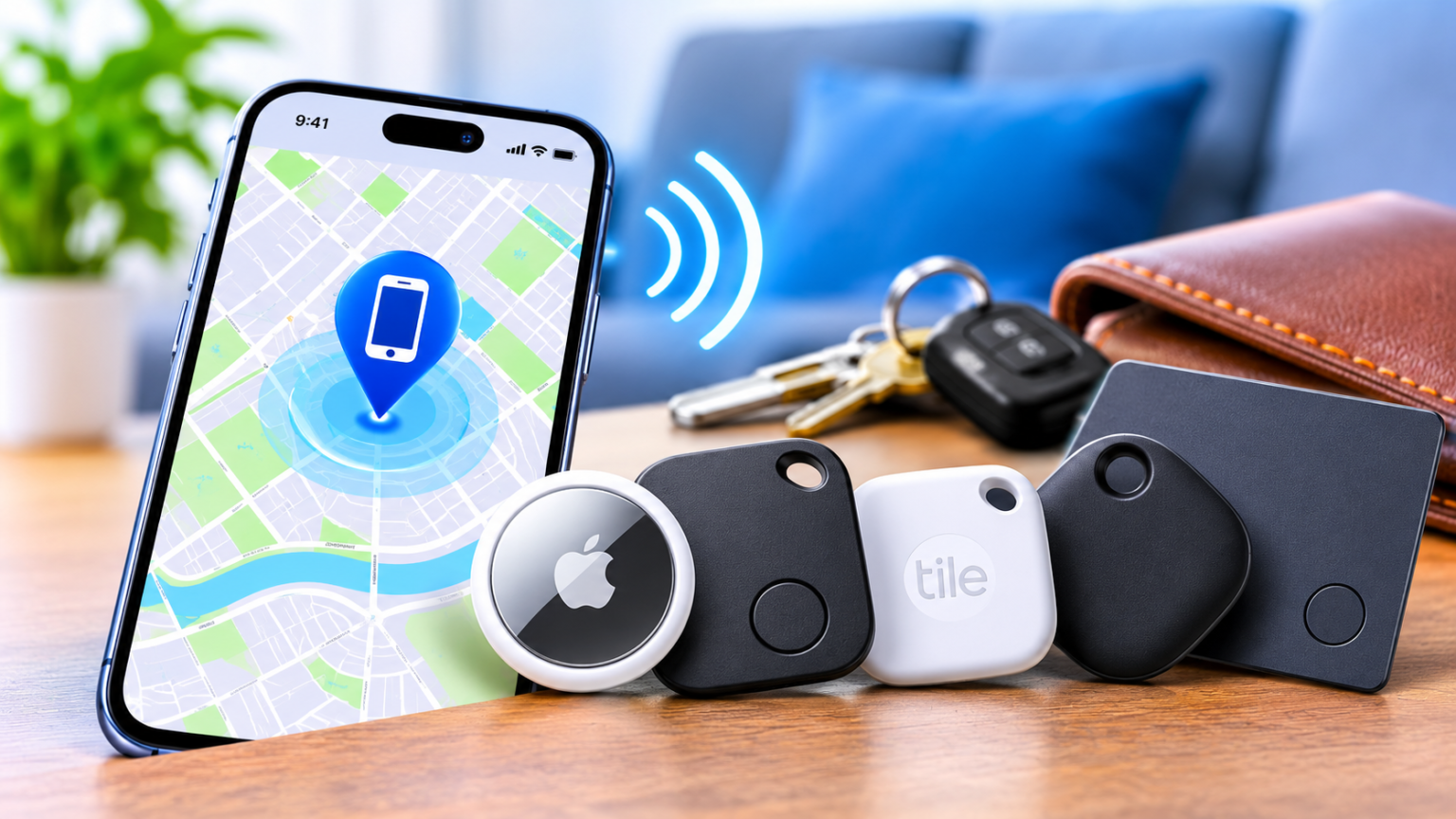

We’ve all done it. You tear apart the couch cushions, check your jacket for the third time, and finally borrow a friend’s phone to call yourself, only to find out your phone was on silent the whole time. A Bluetooth tracker can take most of that panic out of the equation. Here’s how they work, which ones are worth buying, and how to set one up so your phone is never really lost again.
Can a Bluetooth Tracker Really Find a Lost Phone?
Short answer: yes, with one catch. Most trackers are designed to find your keys or bag, with your phone doing the searching. To find the phone itself, you need to do one of two things: pick a tracker with a button that rings your phone, or clip a tracker to your phone case so you can locate it through another device.
How Bluetooth trackers work. A tracker sends out a tiny Bluetooth signal. Your phone picks it up when you’re nearby, and you can make the tracker beep. When you’re far away, the tracker relies on a network of other people’s phones to anonymously report its location back to you.
Tracker vs. built-in Find My / Find Hub. Your phone already has a finder tool: Find My on iPhone and Find Hub on Android. Those are great when your phone is online. A tracker adds a backup, because it keeps working even when your phone is dead, powered off, or in airplane mode.
Range limits. Expect roughly 100 to 400 feet in open space, and a lot less through walls, furniture, and bags. Beyond that, you’re depending on the crowd network, so busy areas work much better than empty ones.
Quick Comparison: Our Top Picks at a Glance
| Tracker | Works with | Best for | Battery |
| Apple AirTag | iPhone only | Best overall for iPhone | Replaceable |
| Chipolo / Pebblebee (Find My versions) | iPhone | Alternatives to AirTag | Varies by model |
| Google Find Hub trackers (Chipolo, Pebblebee) | Android | Best for Android | Varies by model |
| Samsung SmartTag | Samsung Galaxy | Samsung owners | Replaceable |
| Tile | iPhone and Android | Best cross-platform | Varies by model |
Prices and battery specs change often, so check the current listing before you buy.
Best Bluetooth Trackers for iPhone
Apple AirTag. This is the default pick for most iPhone users. It taps into Apple’s huge Find My network, so it can show up on a map even when you’re nowhere near it. It uses a replaceable coin battery that lasts about a year, and Precision Finding on newer iPhones points you right to it. The downside: there’s no button to ring your phone, and it needs a holder or case to attach to anything.
Other Find My-compatible trackers. Brands like Chipolo and Pebblebee make trackers that use the same Find My network, often with extras like louder alarms, rechargeable batteries, or a button that rings your iPhone. If you want to find your phone by pressing a button on your keychain, this is the way to go.
Best Bluetooth Trackers for Android
Google Find Hub trackers. Google’s Find Hub network works much like Apple’s, and compatible trackers from brands like Chipolo and Pebblebee plug right into it. You get crowd-sourced location, alerts if a tracker is following you, and no need for a separate ecosystem.
Samsung SmartTag options. If you own a Galaxy phone, a SmartTag is a natural fit. It works through the SmartThings app and Samsung’s own finding network, and some models let you press the button to ring your phone. The catch is that it only works with Samsung devices.
Best Cross-Platform Trackers (Work on Both)
Tile. Tile has been around longer than almost anyone, and it works on both iPhone and Android. Its big selling point is the button: double-press it and your phone rings, even on silent in most cases. That makes it one of the easiest ways to find a misplaced phone around the house. Some advanced features sit behind a subscription, so read the fine print.
Other universal options. Some newer trackers offer both Find My and Find Hub versions, so you can pick the one that matches your phone. That’s handy if your household mixes iPhone and Android.
Best Budget Bluetooth Tracker
If you just want something that rings and shows a last known location, you don’t need to spend much. Entry-level Tile models and basic Chipolo trackers are usually the cheapest way in. Buying a multi-pack typically brings the per-tracker price down even more.
Best Tracker for Long Battery Life
Trackers with replaceable coin batteries, like AirTag, usually run about a year and are easy to refresh for a couple of dollars. If you hate swapping batteries, look at rechargeable models, but remember you’ll need to remember to charge them. For a “set it and forget it” tracker, replaceable is hard to beat.
Best Slim Tracker (Wallet and Phone Case Friendly)
This is the sleeper pick for lost phones. Card-style trackers are thin enough to slide into a wallet or tuck behind your phone inside its case. That’s the cleanest way to track the phone itself, since the tracker travels everywhere the phone does. Several brands make slim cards in both Find My and Find Hub versions.
How to Choose the Right Bluetooth Tracker
- Phone compatibility. Match the tracker to your phone first. AirTag needs an iPhone, SmartTag needs Samsung, and Tile works with both.
- Network size. Bigger networks mean better odds of finding your phone when it’s far away.
- Battery type. Replaceable is simple and cheap. Rechargeable saves you from buying batteries but needs charging.
- Loudness, size, and water resistance. A louder beep helps in a messy house. A water-resistant rating is nice if you take your phone outdoors.
- Subscription fees. Many trackers are free to use, but a few lock extras behind a monthly plan.
How to Set Up and Use a Tracker to Find Your Phone
- Pair it. Pull the battery tab, hold the tracker near your phone, and follow the prompts in the app (or the pop-up on iPhone).
- Attach it. Put a slim tracker in your case, or clip a standard one to something you carry with your phone.
- Test the ring. If your tracker has a button, double-press it and make sure your phone rings.
- Check last known location. Open the app any time you can’t hear it. The map shows where it was last spotted.
Try it once at home so it feels natural before you actually need it.
What to Do If Your Phone Is Lost and Out of Range
If the tracker can’t find it nearby, don’t waste time:
- Use Find My (iPhone) or Find Hub (Android) from another device or a web browser to see the phone’s location and play a sound.
- Turn on Lost Mode or lock it remotely so no one can get into your accounts.
- Contact your carrier to suspend service if you think it’s gone for good.
- Involve the police if you believe it was stolen. Go to the location with a friend rather than confronting anyone yourself.
Tips to Never Lose Your Phone Again
- Pick one “home spot” for your phone and stick to it.
- Keep a tracker in the case so the phone is always findable.
- Turn on Find My or Find Hub today, before you need it.
- Add a lock screen message with an alternate phone number.
- Check your pockets before leaving a restaurant, taxi, or office.
Frequently Asked Questions
Does a Bluetooth tracker work if my phone is dead? Yes, if the tracker is attached to the phone. It runs on its own battery, so it can still show up on the network. If the tracker is on your keys and the phone is the thing that’s dead, you can’t use it to find the phone.
What’s the real range of a Bluetooth tracker? Plan on about 100 to 400 feet in the open. Walls and furniture cut that down quickly.
Can I track a phone without a tracker? Yes. Find My and Find Hub both do it for free, as long as the phone has power and a connection.
Are Bluetooth trackers safe and private? Reputable trackers use encrypted, anonymous location reporting, and both Apple and Google send alerts if an unknown tracker seems to be following you.
Final Verdict: Which Tracker Should You Buy?
- iPhone users: Go with an AirTag, or a Find My-compatible alternative if you want a button that rings your phone.
- Android users: Choose a Google Find Hub tracker, or a SmartTag if you have a Galaxy phone.
- Mixed households or button lovers: Tile is the easy all-rounder.
- Best trick of all: A slim card tracker in your phone case.
Pick one, set it up in five minutes, and the next time your phone goes missing, you’ll know exactly where to look.
