

Choosing a new Android phone can be confusing. With so many brands, models, features, and price ranges available, finding the right device isn’t always easy. Some phones offer excellent cameras, while others focus on battery life, gaming performance, or long-term software support. However, the most expensive phone isn’t necessarily the best choice for everyone.
The best Android phone is the one that fits your daily needs, budget, and personal preferences. Whether you use your phone for everyday communication, photography, gaming, work, or entertainment, understanding a few important factors can help you make a smarter decision.
In this guide, we’ll explain how to choose the best Android phone for your needs, what specifications to compare, and which features deserve your attention before making a purchase.
1. Determine Your Budget
Before comparing Android phones, decide how much you’re willing to spend. Setting a realistic budget helps narrow down your options and prevents you from paying for features you may never use.
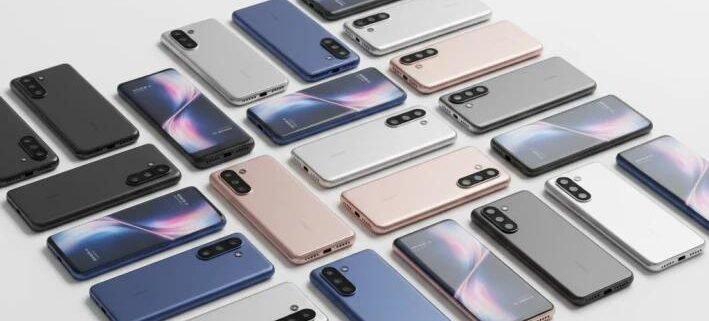
Android phones are available in several price categories:
- Budget phones: Suitable for everyday tasks such as calling, messaging, browsing, social media, and light entertainment.
- Mid-range phones: Offer a balance of performance, camera quality, battery life, and additional features.
- Flagship phones: Designed for users who want premium displays, powerful processors, advanced cameras, and more sophisticated features.
Remember that a higher price doesn’t automatically mean a better experience. A well-balanced mid-range phone may be more than enough for everyday use.
Also, consider the total value of the device rather than its purchase price alone. Software support, durability, repair costs, and battery replacement options can affect how much value you get over time.
2. Choose a Phone That Matches Your Usage
One of the most important steps is understanding how you actually use your smartphone. Different users have different priorities, so there’s no single Android phone that’s perfect for everyone.
Consider your primary activities before comparing specifications.
For Everyday Use
If you mainly use your phone for calls, messaging, social media, web browsing, emails, and watching videos, you don’t necessarily need a flagship device.
Look for a phone with:
- A reliable processor for smooth everyday performance.
- At least 6GB of RAM as a practical starting point.
- A good-quality display.
- Reliable battery life.
- Sufficient internal storage.
A well-balanced budget or mid-range Android phone can handle these activities comfortably.
For Photography and Video Recording
If taking photos and recording videos are important to you, pay close attention to the camera system.
Consider these features:
- Main camera quality: Look for good detail, natural colors, and reliable low-light performance.
- Optical image stabilization (OIS): Helps reduce blur caused by hand movement.
- Ultrawide camera: Useful for landscapes, group photos, and wider scenes.
- Telephoto camera: Allows you to zoom in without relying entirely on digital zoom.
- Video recording: Check supported resolutions, frame rates, stabilization, and audio quality.
Don’t judge a camera by megapixels alone. A 200MP camera doesn’t automatically produce better photos than a well-optimized 50MP camera. Image processing, sensor quality, lens performance, and software also matter.
For Gaming
Mobile gamers should prioritize processing power, graphics performance, display quality, and thermal management.
Look for:
- A powerful processor and GPU.
- At least 8GB of RAM for demanding games.
- A high-refresh-rate display.
- Effective heat management.
- A large battery with fast charging support.
A phone that performs well in short gaming sessions may still struggle during extended gameplay if it overheats. Check sustained performance and real-world gaming reviews before buying.
For Work and Productivity
If you use your phone for professional tasks, video meetings, emails, documents, and multitasking, focus on reliability and convenience.
Useful features include:
- A responsive processor.
- Sufficient RAM for multitasking.
- A comfortable display size.
- Strong battery life.
- Reliable connectivity.
- Good software support.
- Security features such as fingerprint recognition.
Some Android phones also support desktop-style experiences, stylus input, and advanced multitasking, which can be useful for productivity-focused users.
3. Check the Processor and Performance
The processor, also known as the chipset or SoC (System on a Chip), plays a major role in your phone’s overall performance.
It handles important tasks such as running applications, processing images, managing games, and controlling system operations.
Popular Android processor families include:
- Qualcomm Snapdragon
- MediaTek Dimensity
- Samsung Exynos
- Google Tensor
However, choosing a processor based only on its brand or model name isn’t enough. Different processors are designed for different performance levels, and even chips within the same family can vary considerably.
When comparing processors, consider:
- CPU performance for everyday tasks.
- GPU performance for gaming and graphics.
- Power efficiency for battery life.
- Thermal management during demanding activities.
- Performance in real-world reviews.
If possible, compare independent benchmark results alongside actual user experiences. Benchmark scores can help identify performance differences, but they don’t always represent how smoothly a phone performs in everyday use.
4. Pay Attention to RAM and Storage
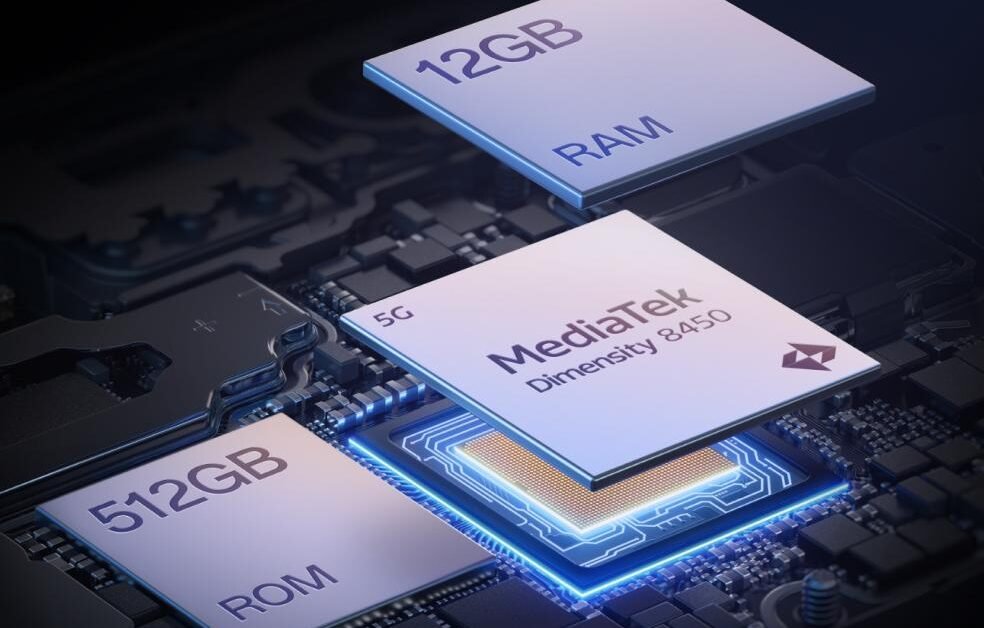
RAM and internal storage are two important specifications that directly affect your smartphone experience.
Although they’re often mentioned together, they serve different purposes.
How Much RAM Do You Need?
RAM temporarily stores data that your phone needs while running applications. More RAM can help with multitasking and keeping multiple applications active.
Here is a general guideline:
| RAM | Suitable For |
| 4GB | Basic use and light applications |
| 6GB | Everyday use and moderate multitasking |
| 8GB | Comfortable multitasking and gaming |
| 12GB or more | Heavy multitasking and demanding applications |
These are general guidelines, not strict requirements. Software optimization, processor performance, and memory management also affect the experience.
How Much Storage Is Enough?
Internal storage determines how many applications, photos, videos, games, and other files you can keep on your phone.
Consider these options:
- 64GB: Limited for most users today, particularly if you store many photos and videos.
- 128GB: A reasonable starting point for many everyday users.
- 256GB: A good option for people who install many applications or capture lots of photos and videos.
- 512GB or more: Suitable for heavy users who store large files, games, and high-resolution media.
Also, check whether the phone supports a microSD card. Expandable storage can be useful, but many modern Android phones don’t offer this feature.
If you plan to keep your phone for several years, choosing more storage initially can save you from running out of space later.
5. Compare Display Quality and Size
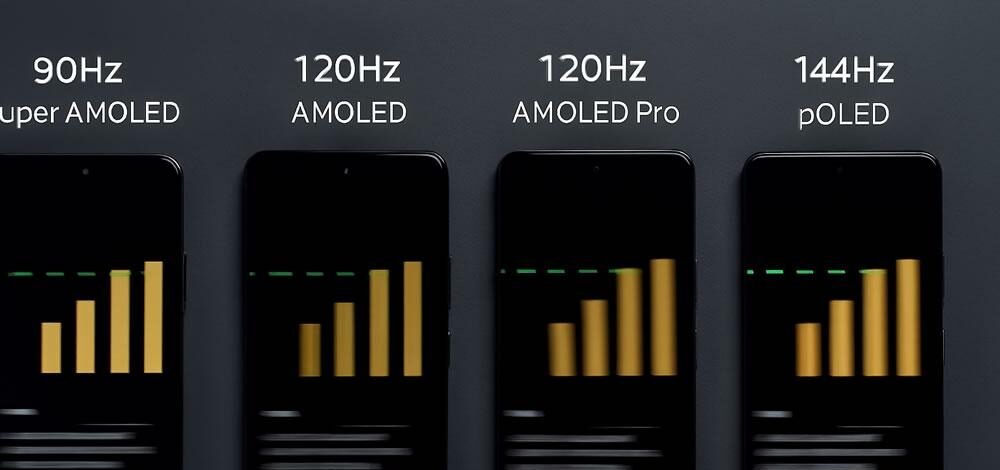
Your smartphone display is something you’ll interact with throughout the day. Whether you’re reading articles, watching videos, browsing social media, or playing games, display quality can significantly affect your experience.
Here are the main specifications to consider.
Display Technology
Most modern Android phones use either AMOLED or LCD displays.
- AMOLED: Offers deep blacks, strong contrast, and vibrant colors. Individual pixels can turn off when displaying black.
- LCD: Generally offers good brightness and color reproduction, although black levels and contrast may differ from AMOLED panels.
Neither technology automatically guarantees a better display. Overall quality depends on panel specifications and manufacturer calibration.
Screen Resolution
Resolution determines how many pixels appear on the screen.
Common options include:
- HD+ (typically around 720p).
- Full HD+ (typically around 1080p).
- Quad HD+ (typically around 1440p).
A Full HD+ display is sufficient for many users. Higher resolutions can provide sharper images, particularly on larger screens, but may also consume more power.
Refresh Rate
Refresh rate refers to how many times the display updates each second.
- 60Hz: Standard display refresh rate.
- 90Hz: Provides smoother scrolling than 60Hz.
- 120Hz: Offers an even smoother visual experience.
- 144Hz and above: Can benefit supported gaming and other high-refresh-rate activities.
A higher refresh rate can make scrolling and animations feel smoother, but it doesn’t automatically improve every aspect of display quality.
Screen Size
Choose a screen size that feels comfortable for your daily activities.
Larger displays are useful for watching videos, gaming, and multitasking. Smaller phones can be easier to hold and operate with one hand.
If possible, try holding the phone before buying it. Screen size alone doesn’t tell you how comfortable a device will feel.
6. Evaluate Battery Life and Charging Speed
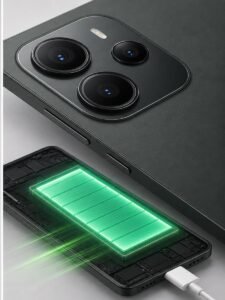
Battery life is another important factor when choosing an Android phone. A powerful processor and excellent display won’t mean much if your phone constantly needs charging.
Battery capacity is measured in milliampere-hours (mAh), but a higher number doesn’t always guarantee longer battery life.
For example, a phone with a 5,000mAh battery may last longer than another device with the same capacity because of differences in processor efficiency, display technology, software optimization, and usage patterns.
Consider the following:
- Battery capacity: A 5,000mAh battery is a common capacity in many Android phones.
- Charging speed: Check the supported wired and wireless charging speeds.
- Charging compatibility: Make sure you understand whether a compatible charger is included or sold separately.
- Battery efficiency: Look for independent battery-life tests.
- Battery health: Consider long-term battery durability if you plan to keep the device for several years.
If you’re frequently away from a power outlet, prioritize real-world battery endurance over charging speed alone.
7. Look Beyond Megapixels When Comparing Cameras
Smartphone manufacturers often highlight camera megapixels, but this number doesn’t tell the whole story.
A camera’s actual performance depends on several factors, including sensor size, aperture, image processing, stabilization, and software.
Before purchasing a phone, check:
- Daylight photo quality.
- Low-light photography.
- Portrait mode performance.
- Video stabilization.
- Front camera quality.
- Zoom capabilities.
- Video recording options.
If photography is a major priority, compare actual camera samples rather than relying exclusively on specifications.
It’s also worth checking whether the phone delivers consistent results across its main, ultrawide, and telephoto cameras.
8. Check Software Updates and Security Support
Software support is one of the most important factors when buying an Android phone, particularly if you plan to use it for several years.
Android updates can introduce new features, improve system performance, fix bugs, and strengthen security.
However, software support varies between manufacturers and individual models.
Before buying, check:
- How many Android version upgrades are promised.
- How long security updates will be provided.
- How frequently security patches are released.
- Whether updates are delivered consistently.
- Whether the phone is eligible for the latest Android features.
Don’t assume that every phone from the same manufacturer receives identical support.
Some manufacturers provide several years of software and security updates on selected models, while other devices may have shorter support periods.
A phone with longer software support can offer better long-term value, even if its initial price is slightly higher.
9. Consider Build Quality and Durability
Your smartphone is an everyday device, so it should be capable of handling regular use.
Build quality affects how well a phone withstands accidental drops, scratches, dust, and exposure to water.
Important things to check include:
- Frame material: Plastic, aluminum, and other materials offer different levels of durability and feel.
- Screen protection: Check whether the phone uses protective glass and consider using a screen protector.
- IP rating: Indicates the device’s tested resistance to dust and water under specified conditions.
- Repairability: Consider the availability and cost of replacement screens, batteries, and other components.
An IP67 or IP68 rating can provide useful protection against dust and water, but it doesn’t make a phone completely waterproof.
Water resistance can also decrease over time due to normal wear and tear. Always check the manufacturer’s specific conditions and warranty exclusions.
10. Don’t Ignore Connectivity and Additional Features
Connectivity and additional hardware features can make a noticeable difference in everyday use.
Before purchasing an Android phone, check whether it supports the features you actually need.
Some important considerations include:
- 5G connectivity: Useful if your carrier and local network support compatible 5G bands.
- Wi-Fi: Check supported Wi-Fi standards and compatibility.
- Bluetooth: Important for wireless headphones, speakers, watches, and other accessories.
- NFC: Useful for contactless payments and supported wireless interactions.
- USB-C: Check charging and data-transfer capabilities.
- Fingerprint sensor: Provides convenient device unlocking.
- Stereo speakers: Can improve the experience when watching videos or listening to audio.
- Dual SIM support: Useful for people who use multiple mobile networks.
Also, check whether the phone supports the cellular frequency bands used by your network provider. This is especially important when purchasing an imported device.
11. Compare Phones Before Making a Decision
Once you’ve shortlisted a few Android phones, compare them side by side.
Don’t focus on just one specification. A phone with a better camera may have weaker battery life, while another device may offer better performance but less storage.
Use a comparison checklist like this:
| Feature | What to Compare |
| Price | Overall value for money |
| Processor | Performance and efficiency |
| RAM | Multitasking capabilities |
| Storage | Available capacity and expansion |
| Display | Technology, resolution, and refresh rate |
| Camera | Photo and video quality |
| Battery | Real-world endurance |
| Charging | Wired and wireless charging |
| Software | Update policy and support period |
| Durability | Build quality and IP rating |
You can also use Phonzio to explore smartphone specifications, compare different models, and understand which features matter most when choosing your next device.
Don’t rush your decision. Reading detailed reviews and watching real-world performance tests can help you identify potential weaknesses that aren’t obvious from a specification sheet.
12. Think About Long-Term Value
A smartphone is an investment you’ll probably use every day for several years. That’s why it’s worth thinking beyond the initial purchase.
Consider how well the phone will serve you after one or two years.
Ask yourself:
- Will its processor remain capable of handling future applications?
- Does it have enough RAM and storage for long-term use?
- Will it continue receiving security updates?
- Is the battery likely to meet your daily requirements?
- Are replacement parts and repair services available?
- Does the manufacturer have a reliable update history?
A slightly more expensive phone may offer better long-term value if it provides stronger performance, longer software support, and better durability.
The goal isn’t to buy the most powerful device available. It’s to choose a phone that continues meeting your needs without requiring an upgrade too soon.
13. Check Warranty, Availability, and After-Sales Service
Before purchasing an Android phone, check the manufacturer’s warranty and the availability of after-sales services in your region.
This is particularly important if you’re buying an imported smartphone or ordering from an online marketplace.
Consider these points:
- Official warranty: Check whether the phone comes with a valid local manufacturer’s warranty.
- Authorized service centers: Make sure repair services are available in your area.
- Replacement parts: Check the availability of batteries, displays, and other essential components.
- Network compatibility: Confirm that the phone supports your mobile carrier’s network bands.
- Device authenticity: Purchase from a trustworthy seller and verify the device’s model and authenticity.
A phone with excellent specifications may not be a practical purchase if getting it repaired or obtaining replacement parts is difficult.
Quick Checklist: What to Look for When Buying an Android Phone
Before making your final decision, use this checklist to make sure you’ve considered the most important factors.
- Set a realistic budget.
- Identify your primary smartphone requirements.
- Compare processor performance.
- Choose sufficient RAM and internal storage.
- Check display quality and refresh rate.
- Compare camera performance using real-world samples.
- Evaluate battery life and charging capabilities.
- Check Android version and security update commitments.
- Consider build quality and water resistance.
- Verify network compatibility and connectivity features.
- Check warranty and after-sales service.
- Compare prices and reviews before purchasing.
You don’t need the highest specifications in every category. Focus on the features that will make the biggest difference to your daily experience.
Frequently Asked Questions (FAQs)
1. Which specifications should I look for when buying an Android phone?
Focus on the processor, RAM, storage, display, camera, battery, and software support. The ideal specifications depend on how you plan to use your phone. For example, gamers should prioritize processing power and thermal management, while photography enthusiasts should pay more attention to camera quality.
2. How much RAM is enough for an Android phone?
For most everyday users, 6GB to 8GB of RAM is a reasonable starting point. Users who frequently play demanding games or multitask between several applications may benefit from 12GB or more. However, software optimization and processor performance also influence the overall experience.
3. Is 128GB storage enough for an Android phone?
Yes, 128GB is sufficient for many users who mainly use social media, messaging applications, web browsing, and occasional photography. However, if you frequently record high-resolution videos, download large games, or store extensive media libraries, 256GB or more may be a better choice.
4. Which is more important: RAM or processor?
Both are important, but they serve different purposes. The processor handles computing tasks and overall performance, while RAM helps manage running applications and multitasking. A balanced combination of both generally provides a better experience than having excessive RAM paired with a weak processor.
5. How important are software updates when buying an Android phone?
Software updates are important for security, stability, and access to newer features. Regular security updates help protect your device against vulnerabilities, while Android version upgrades can introduce new functionality. Always check the manufacturer’s promised support period for the exact phone model.
6. Is a higher megapixel camera always better?
No. Megapixels indicate image resolution, not overall camera quality. Sensor size, image processing, optical image stabilization, lens quality, and software optimization also influence the final results. Comparing real-world photographs is a better way to evaluate a smartphone camera.
7. Should I buy a budget, mid-range, or flagship Android phone?
It depends on your budget and requirements. Budget phones are suitable for basic everyday activities, mid-range devices offer a good balance of features and performance, and flagship phones provide premium hardware and advanced capabilities. Choose the category that meets your needs without unnecessary spending.
8. How long should an Android phone last?
A good Android phone can remain useful for several years, depending on its hardware, battery condition, software support, and usage. Before purchasing, check how long the manufacturer promises Android upgrades and security updates. Also consider battery replacement and repair options.
Final Thoughts
Choosing the best Android phone isn’t about buying the device with the highest price or the most impressive specifications. It’s about finding the right balance between performance, camera quality, battery life, display, software support, durability, and affordability.
Start by identifying your daily requirements and setting a realistic budget. Then compare different models based on the features that matter most to you. Don’t overlook long-term software support, warranty coverage, and real-world performance when evaluating your options.
Most importantly, take your time before making a purchase. Read reliable reviews, compare specifications, and consider how well each device will serve you over the next few years.
The best Android phone is ultimately the one that meets your needs, fits your budget, and delivers a reliable experience every day.
