
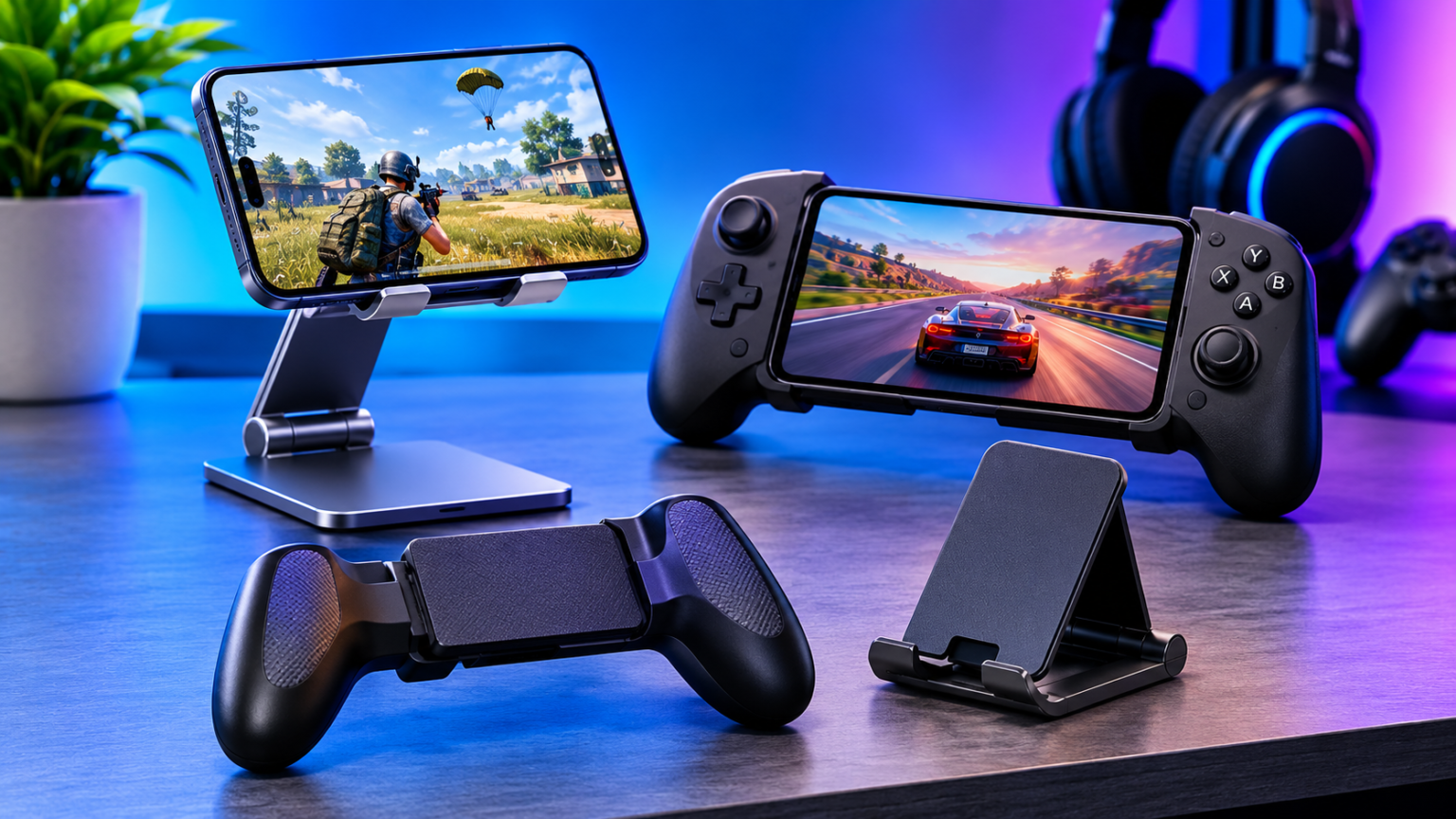

Introduction: Why Your Setup Matters More Than Your Phone
You’ve got a great phone, a fast connection, and a ranked match on the line. Then your thumbs start cramping, the phone slips in your sweaty hands, and your own fingers block half the screen. Sound familiar?
Here’s the thing: most mobile gamers upgrade their phone and ignore the gear that decides how comfortable they feel. A good stand or grip fixes the three biggest problems of phone gaming: hand fatigue, neck strain, and sloppy touch controls. In this guide, I’ll walk you through the main types of gear, what each is best at, and how to pick the right one for your games.
Quick Picks: Our Top Gear at a Glance
- Best overall stand: A sturdy, adjustable desk stand like the Lamicall-style folding stands. They’re stable and cheap, and they fit almost any phone.
- Best overall grip: A clamp-on controller like the GameSir X5 Lite or Razer Kishi. They turn your phone into a handheld console.
- Best budget pick: A simple clip that attaches your phone to a controller you already own.
- Best for competitive shooters: A clamp-on controller with Hall Effect sticks and triggers.
Stands vs. Grips: Which One Do You Actually Need?
Think of it this way: stands are for when your phone stays put, and grips are for when it’s in your hands.
Stands shine for desk play, long sessions, streaming, and any game where you tap the screen a lot. They take the weight off your hands and put the screen at eye level, so your neck stays happy.
Grips are all about comfort and control. They give your hands something solid to hold, stop slipping, and in the case of controller-style grips, give you real buttons and sticks instead of flat glass.
Can’t decide? Plenty of gamers use both. A grip for couch sessions, a stand for the desk. If you only buy one, pick based on how you usually play.
Best Phone Gaming Stands
Desk stands for touch-heavy games. If you play card games, strategy games, or anything that needs lots of tapping, a weighted aluminum stand is a great choice. Metal, weighted bases stay put when you tap hard, while cheap, lightweight plastic ones can slide or tip. Look for an adjustable arm to fine-tune the angle.
Foldable and portable stands. These are perfect for travel, school, or the office break room. They collapse flat, fit in a pocket, and still hold your phone steady. Not as rock-solid as a heavy desk stand, but great value for the price.
Magnetic and MagSafe stands. If your phone (or case) supports magnets, these snap on in a second and let you rotate between portrait and landscape easily. They’re great for quick sessions, but check that the magnet is strong enough to hold your phone during intense taps.
Wireless charging stands. Long sessions drain batteries fast, and a charging stand keeps you topped up while you play. One catch: heat. A charger that runs hot can make your phone throttle performance, so pick one with good airflow and avoid stacking it in a tight spot.
Stands for controller and remote play. If you stream a console to your phone (Switch 2, PlayStation, Xbox), a stand that holds the phone at a good angle lets you play from the couch or bed with a regular controller. Adjustable hinges make finding that perfect angle easy.
Best Phone Gaming Grips and Handles
Finger and pop-style grips. The simplest option: a small grip stuck to the back of your phone or case. It’s cheap and light, and it stops drops and slips. It won’t add buttons, but your hand will thank you.
Strap grips. An elastic strap on the back of the case keeps the phone locked to your hand. Great for one-handed use and casual gaming, and they barely add bulk.
Clamp-on controller grips. This is where mobile gaming gets serious. Brands like Razer, GameSir, and Backbone make controllers that stretch around your phone and give you full console-style controls. They cost more, but the difference in precision is huge, especially in shooters and action games. Look for Hall Effect sticks (they resist drift), a USB-C connection for low lag, and pass-through charging so you can play and charge at the same time.
Clip mounts for PS5 and Xbox controllers. Already own a console controller? A clip mount lets you attach your phone right on top of it. It’s one of the best-value ways to get console-style play on mobile, and many include a built-in stand.
Budget grips. You don’t need to spend big. A solid clip or basic strap grip gets you most of the comfort for a fraction of the cost.
Comparison Table: All Picks Side by Side
| Gear Type | Best For | Price Range | Portability | Adds Buttons? |
| Desk stand | Touch games, long sessions | Low–Mid | Medium | No |
| Foldable stand | Travel, casual play | Low | High | No |
| Magnetic stand | Quick setup | Low–Mid | High | No |
| Wireless charging stand | Marathon sessions | Mid | Low | No |
| Finger/pop grip | Everyday comfort | Low | High | No |
| Strap grip | One-handed play | Low | High | No |
| Clamp-on controller | Shooters, action games | Mid–High | Medium | Yes |
| Controller clip mount | Using your own controller | Low | Medium | Yes (via controller) |
How to Choose: What to Look For
Phone size and case compatibility. This trips up a lot of buyers. Many clamp-on controllers only fit certain phone sizes, and thick cases can get in the way. Check the supported width and whether you’ll need to take your case off.
Adjustability and viewing angle. A stand that only sits at one angle will have you hunching. Choose one with a flexible arm or multiple angle positions.
Stability and build. Metal and weighted bases beat flimsy plastic. If a stand wobbles when you tap, it’ll drive you nuts.
Heat and ventilation. Phones get warm during gaming. Open designs and thin grips help heat escape. Bulky cases plus bulky grips can trap it.
Charging pass-through. If you play for hours, you’ll want to charge as you go. Make sure your grip or stand allows it.
Wired vs. wireless. Wired USB-C controllers usually have the lowest lag and never need charging. Bluetooth ones are more flexible but can add a little delay.
Best Gear by Game Type
Shooters (PUBG Mobile, Call of Duty Mobile): Go for a clamp-on controller. Real triggers and sticks help you aim faster and stay steady in a firefight. A simple grip works if you stick with touch controls.
RPGs and open-world games (Genshin Impact): A clamp-on controller makes long exploring sessions way more comfortable, while a stand is perfect if you like playing at a desk.
Cloud gaming and console remote play: A controller clip or stand paired with your console controller is the sweet spot. You get a big-screen feel without being stuck at the TV.
Tips to Play Longer Without Fatigue
- Raise the screen. Aim for eye level so you’re not bending your neck.
- Relax your grip. Squeezing too hard is what causes cramps. A good grip means you don’t have to.
- Support your wrists. Keep them neutral, not bent sharply up or down.
- Take breaks. Every 30 to 45 minutes, stretch your hands and fingers for a minute.
- Keep it cool. Take off thick cases during long sessions, and don’t game under a blanket.
Common Mistakes to Avoid When Buying
- Ignoring case thickness. If it doesn’t fit with your case, it doesn’t fit.
- Buying the cheapest stand. Wobbly stands get annoying fast.
- Skipping charging support. You’ll regret it mid-session.
- Overpaying for features you won’t use. If you only play casual games, you don’t need a premium controller.
- Forgetting your phone model. Check dimensions before you buy.
FAQs
Are phone gaming grips worth it?
Yes, especially if you play for more than 30 minutes at a time. They cut hand fatigue and keep your phone secure.
Do grips work with thick cases?
Some do, but many clamp-on controllers need a slim case or none at all. Always check the product’s compatibility.
Do stands overheat your phone?
Regular stands don’t. Charging stands can run warm, so pick one with good airflow.
Is a clamp-on controller better than a grip?
Different tools for different jobs. Controllers give you real buttons and precision. Grips are simpler, lighter, and cheaper.
Can I game while charging?
Yes, but it can make your phone hotter. Pass-through charging and good ventilation help.
Final Verdict: Our Recommendation
The best setup is the one that fits how you play. If you’re a desk gamer who taps a lot, grab a sturdy adjustable stand. If you want comfort on the couch, start with a simple grip. And if you’re serious about shooters or action games, a clamp-on controller is the biggest upgrade you can make.
Whatever you choose, your hands (and your win rate) will feel the difference. Pick one, try it for a week, and you’ll wonder how you ever played without it.
