
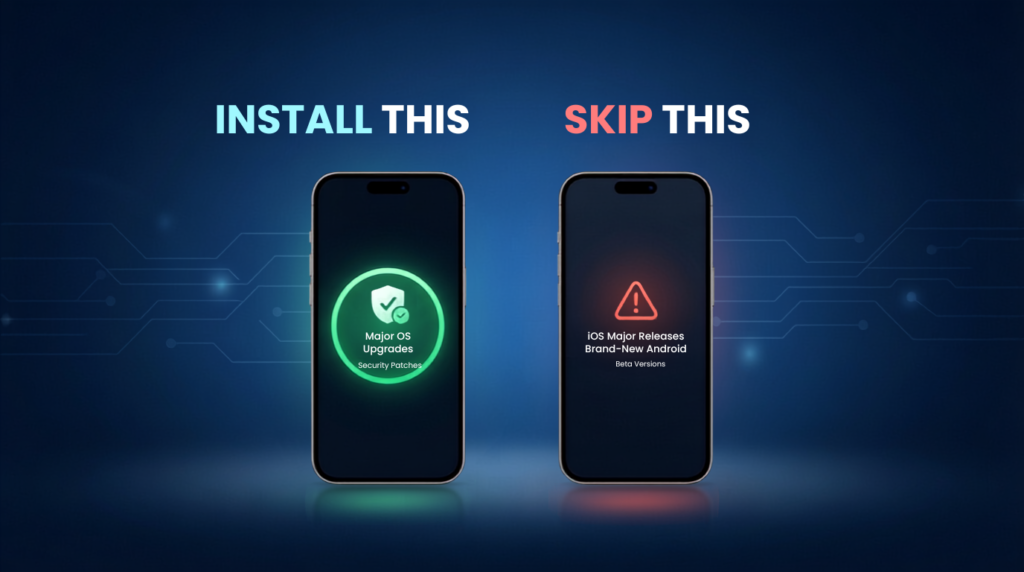
A software update notification can feel like a simple choice: tap Install Now or dismiss it for later. But not every phone update should be installed the moment it becomes available. While many updates fix critical security vulnerabilities, improve performance, and introduce useful features, others—especially major operating system releases—can sometimes bring unexpected bugs, battery drain, overheating, or app compatibility issues during their early rollout.
The good news is that you don’t have to guess which updates are worth installing. Understanding the difference between security patches, App Updates, Major OS Upgrades, and Google Play System Updates can help you make smarter decisions and avoid unnecessary problems. In many cases, installing the right update immediately keeps your device secure, while waiting a few days or weeks for certain major releases can save you from early software issues.
In this guide, we’ll explain which phone updates you should install without hesitation, which ones are better to delay, and how to check whether a Latest Android Update or iPhone update is safe for your device. By the end, you’ll know exactly when to update—and when it’s smarter to wait.
Understanding the Different Types of Phone Updates
Security Updates
Security updates fix vulnerabilities that could put your personal data and device at risk. These patches protect against malware, hacking attempts, and newly discovered security threats, making them the most important updates to install promptly.
Feature Updates
Feature updates introduce new capabilities, design changes, and enhancements to your phone’s operating system. They often include improvements to the user interface, camera features, AI tools, and overall functionality.
Bug Fix Updates
Bug fix updates resolve software issues such as app crashes, battery drain, overheating, connectivity problems, and performance glitches. These updates are generally stable and recommended for most users.
Carrier & Network Updates
Carrier and network updates improve your phone’s connection to your mobile network. They can enhance call quality, 5G performance, Wi-Fi calling, network stability, and compatibility with your carrier’s latest services.
Beta Releases
Beta updates provide early access to upcoming software features before the official release. While they let users test new functionality, they often contain bugs and stability issues, making them better suited to developers and enthusiasts than to everyday users.
The Phone Update You Should Install Today
Phone updates fall into several important categories, including security updates, feature updates, bug fix releases, carrier and network updates, and beta software. Each type serves a different purpose—from protecting your device against security threats and improving performance to introducing new features and enhancing your overall user experience. Understanding what each update does can help you decide whether to install it immediately or wait for a more stable release.
Major OS Upgrades
- Upgrade your phone to a newer version of the operating system (for example, from Android 14 to Android 15).
- Usually released once a year.
- Introduce a refreshed design and user interface.
- Add new features and productivity tools.
- Improve performance, security, and overall user experience.
Security Patches
- Fix newly discovered security vulnerabilities and software flaws.
- Usually released every month or quarter.
- Protect your phone from hackers, malware, and cyber threats.
- Improve the overall security and stability of your device.
- Help keep your personal data and privacy safe.
Google Play System Updates
- Update important system components in the background.
- Fix bugs and security issues without a full OS update.
- Improve device stability and performance.
- Usually install automatically through Google Play.
- Do not change your phone’s interface or main screen appearance.
Manufacturer Skin Updates
- Update the custom software interface built into your phone by your phone’s manufacturer.
- Add new brand-specific features, apps, and customization options.
- Refresh the look of menus, icons, and animations.
- Improve performance, stability, and compatibility.
- Examples include Samsung One UI, Xiaomi HyperOS, and OnePlus OxygenOS.
App Updates
- Update individual apps through the Google Play Store or Apple App Store.
- Fix bugs and improve app performance.
- Add new features and enhancements to specific apps.
- Improve security and compatibility with your device.
- Do not change or affect the rest of your phone’s system.
Beta Releases
- Provide early access to upcoming Android or iOS features.
- May include bugs, performance issues, and app compatibility problems.
- Best suited for developers and advanced users, not your primary phone.
The Update You Should Skip (At Least for Now)
Some updates are better left for a few days or weeks until early bugs are discovered and fixed.
Brand-New Android or iOS Major Releases
- Often include new features but may introduce unexpected bugs.
- Early versions can cause battery drain, overheating, or app compatibility issues.
- Consider waiting for the first maintenance update before upgrading.
Beta Versions on Your Daily Phone
- Designed for developers and testers, not everyday users.
- May contain crashes, performance issues, and unstable features.
- Avoid installing beta software on your primary device.
Optional Feature Updates With Known Issues
- Some feature updates are not essential and may have reported problems.
- Check user feedback and official release notes before installing.
- Wait if the update has widespread reports of bugs or stability issues.
Android vs iPhone: Should You Update Them the Same Way?
While both Android and iPhone receive regular software updates, the best update strategy isn’t the same. Android users should install monthly security patches as soon as they’re available but may want to wait a few days before installing major Android releases, especially if they use a Samsung, Xiaomi, OnePlus, or other manufacturer device. This gives time for early bugs to be identified and fixed.
For iPhone users, security updates and Apple Rapid Security Response updates should also be installed immediately. However, it’s often a good idea to wait for the first minor update (such as iOS 27.0.1) before upgrading to a brand-new iOS version if your current device is working well and you don’t need the latest features right away.
Frequently Asked Questions (FAQs)
Should I install every phone update?
No. Install security updates, critical bug fixes, and stability updates immediately. For major Android or iOS releases, it’s often wise to wait a few days or weeks to ensure there are no widespread issues.
Is it safe to skip a software update?
Skipping an optional feature update is usually fine, but delaying security updates for too long can leave your phone vulnerable to security threats and malware.
How long should I wait before installing a major Android or iOS update?
Waiting 1–2 weeks is generally recommended. This gives manufacturers time to fix any early bugs and lets users report potential issues.
Can software updates improve battery life?
Yes. Many updates include battery optimizations and performance improvements. However, battery life may temporarily decrease immediately after a major update while your phone completes background optimization.
Why do some updates make phones slower?
New software may require more system resources, especially on older devices. Temporary slowdowns are also common while the phone indexes files and optimizes apps after an update.
Are beta updates worth installing?
Beta updates are best for developers and enthusiasts who want to test new features. They may contain bugs, crashes, and compatibility issues, so they aren’t recommended for your primary phone.
How do I know if an update has bugs?
Check the official release notes, browse user feedback on forums and social media, and look for reports from trusted tech websites before installing a newly released update.
What’s the difference between a security update and a feature update?
A security update fixes vulnerabilities and protects your device from cyber threats, while a feature update introduces new tools, design changes, and improvements to the operating system.
Final Verdict: Install Smart, Not Fast
The best approach to phone updates is to update wisely—not immediately. Install security patches, critical security fixes, emergency bug fixes, and carrier or app compatibility updates as soon as they become available to keep your device secure and running smoothly.
On the other hand, don’t rush to install brand-new Android or iOS major releases or beta versions on your primary phone. Waiting a week or two allows manufacturers to fix early bugs and improve stability.
By knowing which updates to install right away and which ones to delay, you can enjoy the latest improvements without risking unnecessary performance or compatibility issues.
